![Pawlytics_Paw-1.png]](https://learn.pawlytics.com/hs-fs/hubfs/Pawlytics_Paw-1.png?height=40&name=Pawlytics_Paw-1.png)
You can record any and all types of expenses in Pawlytics - from medical bills to cleaning supplies, or even costs associated with hosting your next fundraiser!
A note before you start:
There are 2 ways to record pet medical costs. You can follow the instructions in this tutorial, or you can enter the cost directly on a pet medical event. Learn more about entering pet medical here
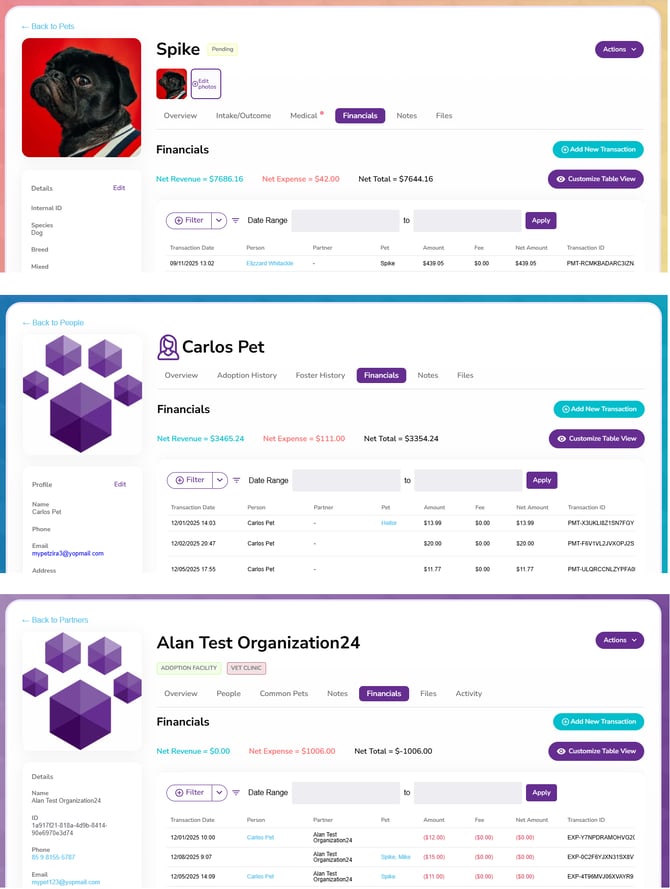
To start, navigate to the appropriate financials tab - either inside a pet, person, or partner profile:
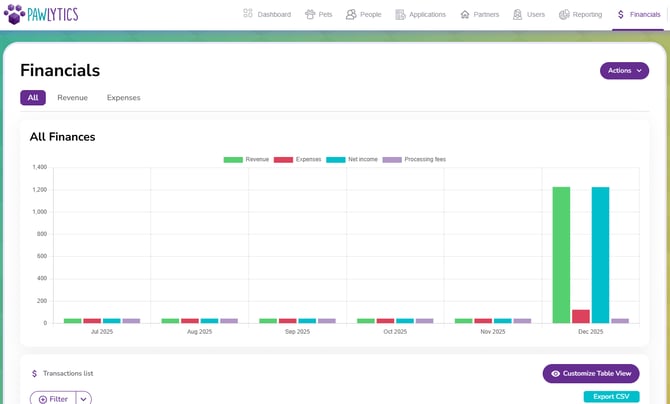
Or directly to the general financials section of Pawlytics:
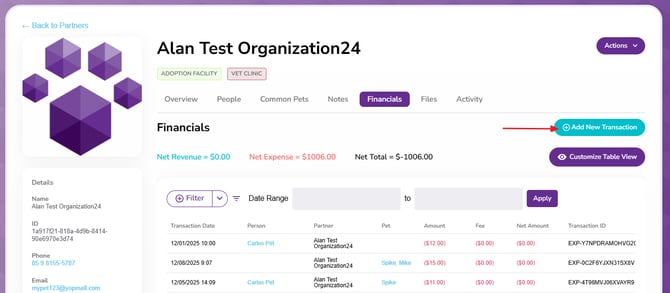
If you're starting from inside a pet, person, or partner profile, you'll click the blue button that says Add New Transaction:
If you're starting from the Financials section, click the Action button in the upper right:
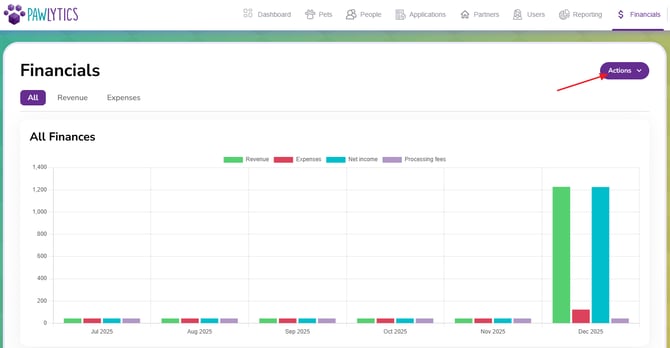
From here the steps are mostly the same, but certain information may be auto-filled based on where you're starting form. These auto-fills will be noted at the appropriate step.
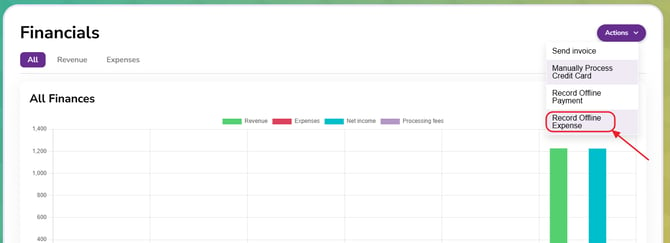
Click the fourth option to Record Offline Expense:
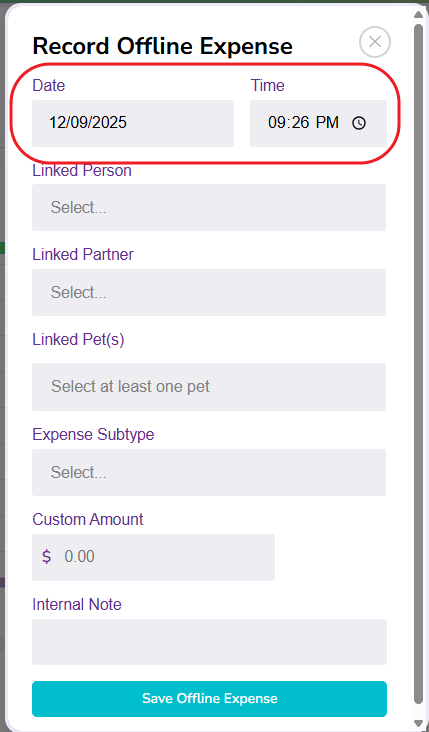
First, you can edit the date and time of the expense as necessary:
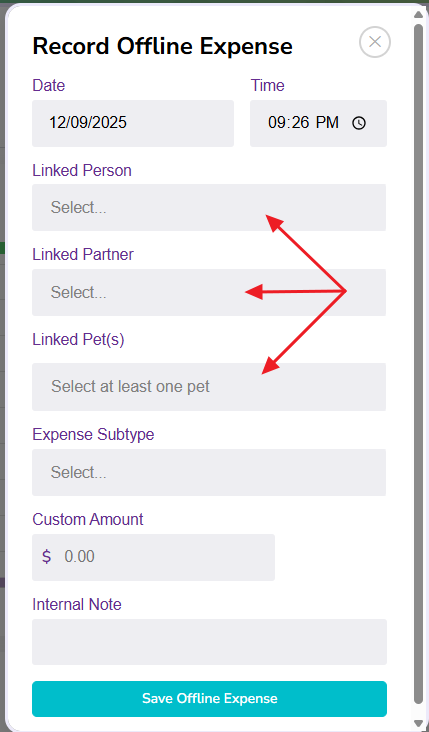
Then you can choose to link the expense to either a person, partner, or pet profile:
Note: If recording this expense directly from the person, partner or pet profile, they will automatically be linked in the appropriate section
Choose the Expense Subtype from the dropdown:
Note: If you don't see the appropriate subtype for what you're recording, you'll need to create it inside your financial settings.
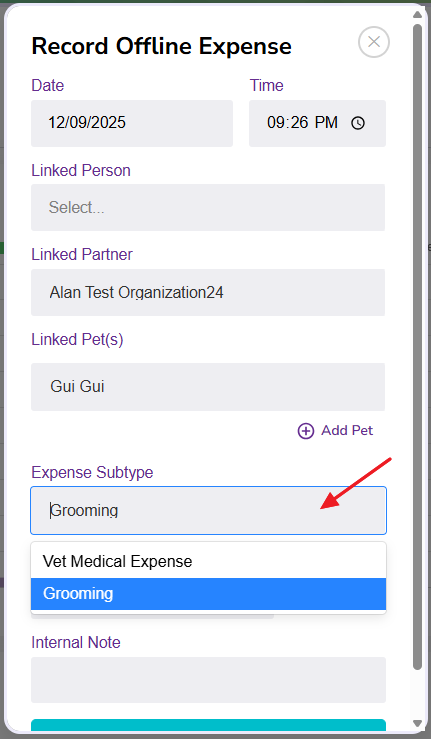
Record the amount of the expense and if there's anything you need to note for your team:
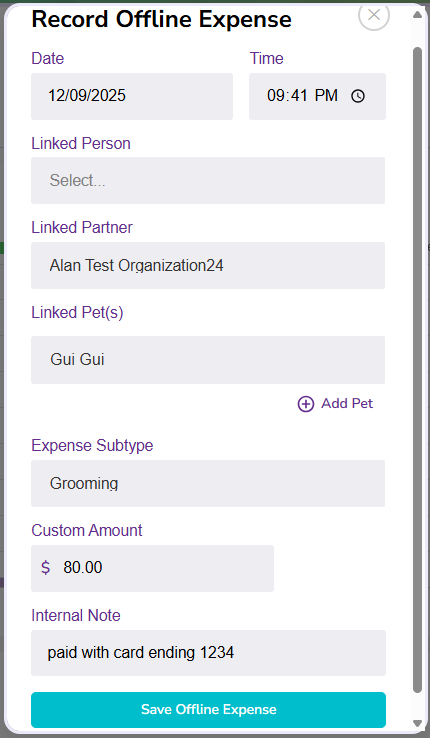
The expense will be saved and linked to any appropriate profiles.

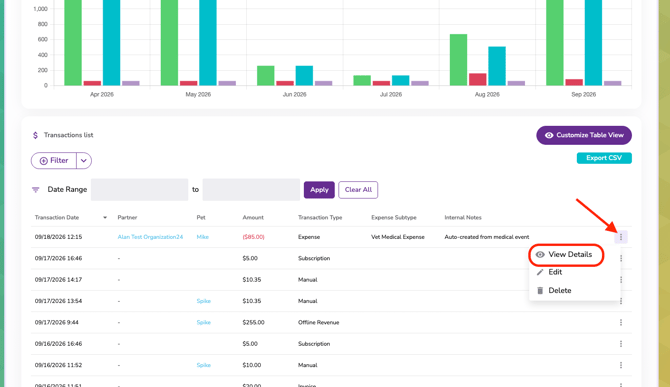
Lastly, you can click to the main financials tab to see the transaction line. By clicking the 3 dots to the far right of the line, you can view more details: