![Pawlytics_Paw-1.png]](https://learn.pawlytics.com/hs-fs/hubfs/Pawlytics_Paw-1.png?height=40&name=Pawlytics_Paw-1.png)
You can create default invoice templates for things like adoption fees, owner surrender charges, spay/neuter fees, or anything that your rescue sends out regularly.
First navigate to the Financials section in your Organization Settings and click on View Invoice Settings
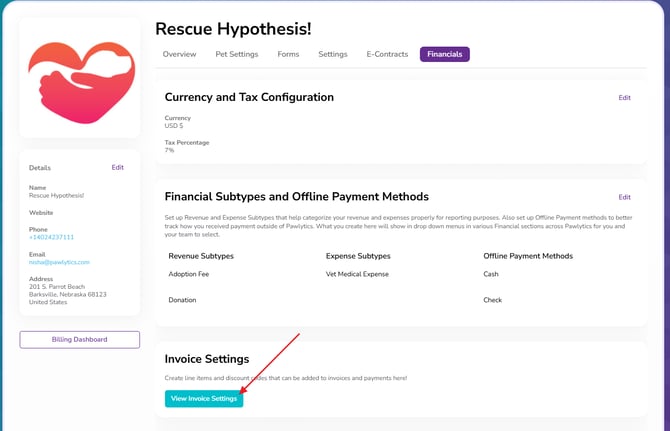
This will open up Invoice settings where you can create individual Invoice Line Items and Discount Options to ultimately build our your Invoice Templates.
Invoice Line Items
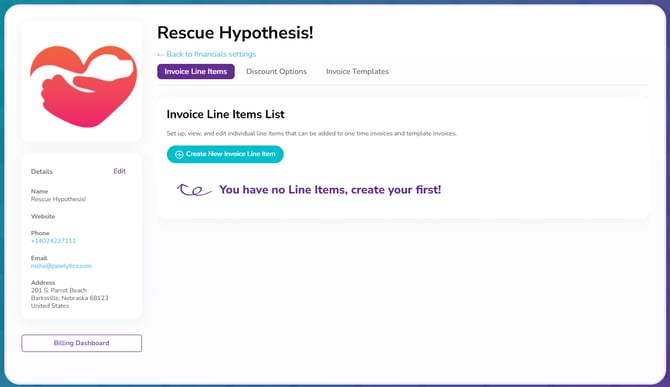
These are anything you might want to add to an invoice. Click to Create New Invoice Line Item
Note: If you enter adoption fees on a pet's profile, you do not need to create an Adoption Fee Line Item. You *can* still create an Adoption Fee Line Item if you just want to list a generic adoption fee based on breed or age range, but if you already use the Adoption Fee section on a pet's profile, this information will automatically pull from a linked pet's profile when you send the invoice.
Type the name of the line item you want to add, and the amount and hit save:
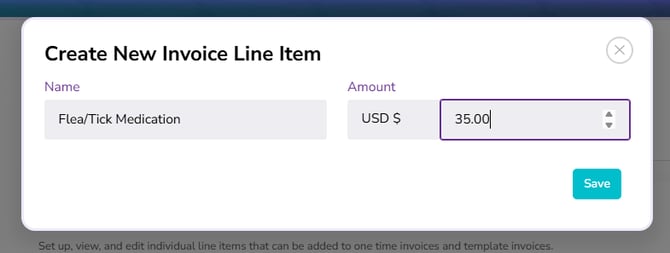
Repeat until you've added everything you need to!
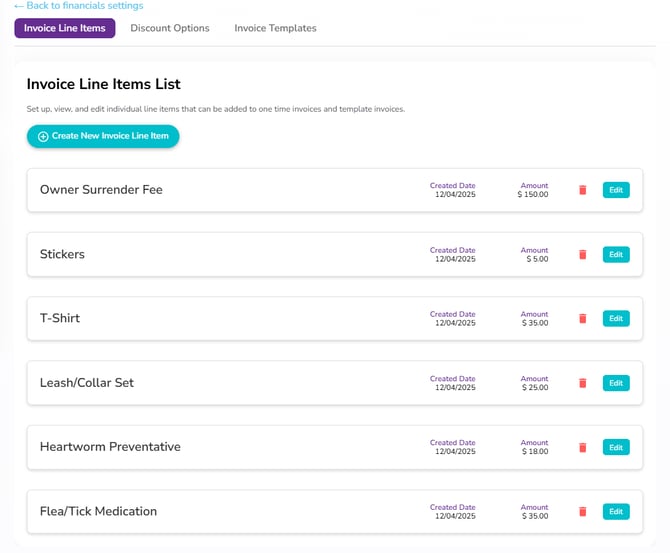
Discount Options
Does your rescue ever run any specialty discounts? Senior pet discount? Bonded pair discount? Military discounts? You can add those in too!
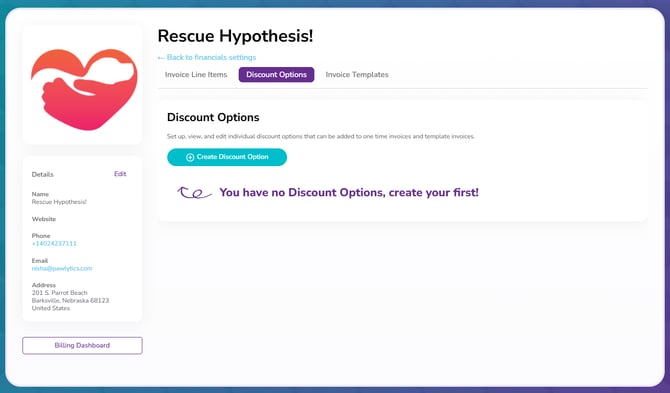
Click to Create Discount Options, give the discount a name, and choose if you're entering a specific amount or a percent amount and hit save:
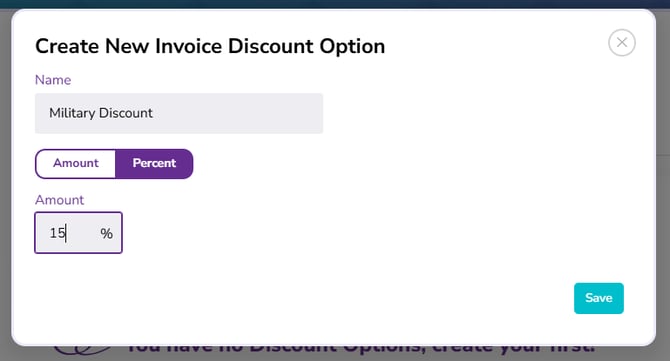
Same as before, repeat until you've added everything you need to!
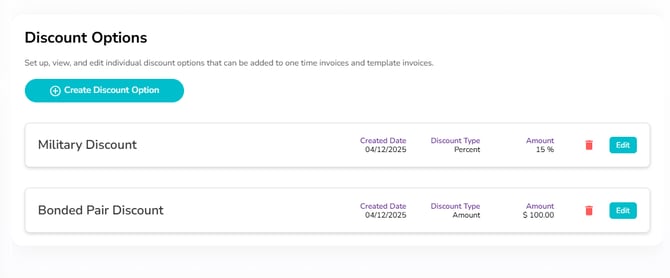
And NOW we're ready to create 🥁🥁🥁
🎉Invoice Templates
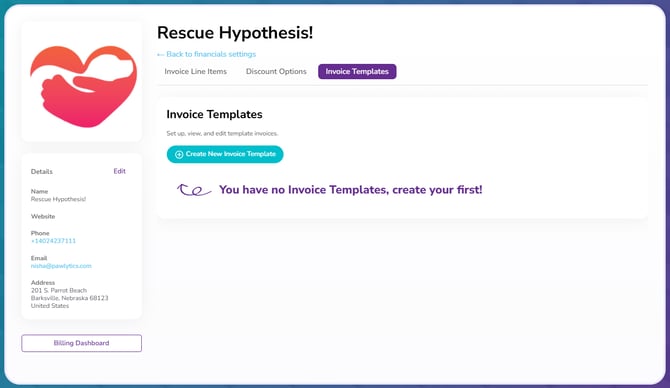
Quick Note: you can only create templated invoices if you have line items to add. For general adoption invoices with no extra line items, click here to learn how to send invoices.
Click to Create New Invoice Template and give your template a Name and Revenue Subtype
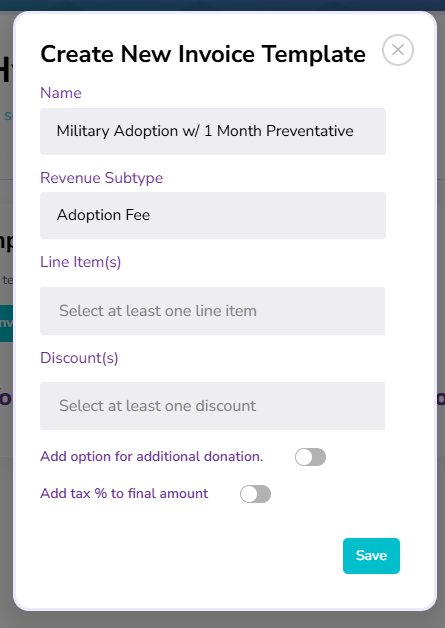
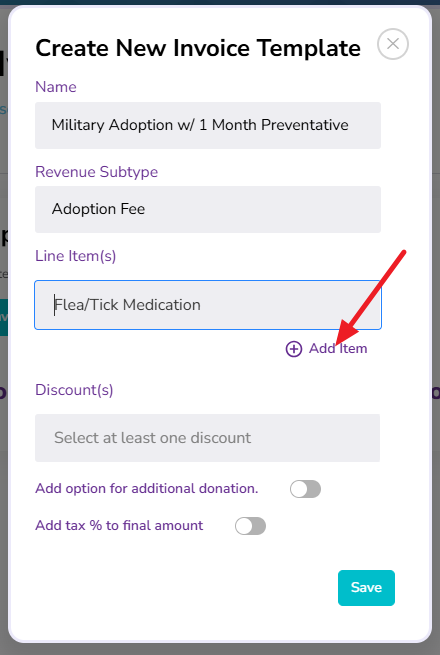
Select from the Line Items created earlier and BE SURE TO CLICK ADD ITEM to add it to the template:
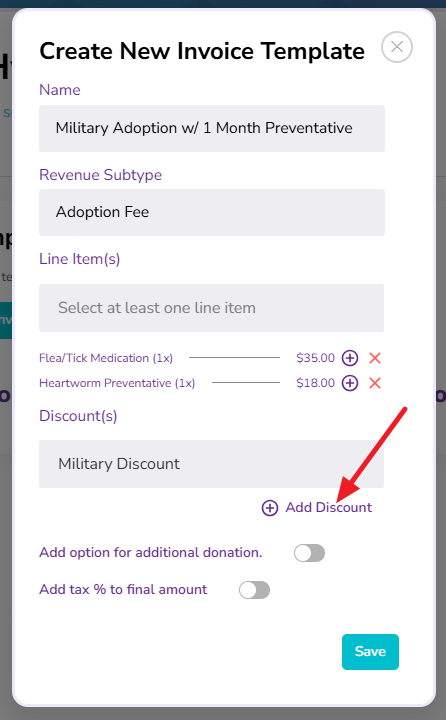
And same for adding any Discounts:
You can also select to add options for people to add additional donations, and if the invoice contains taxable items, to add the tax % referenced in your Financial Settings.
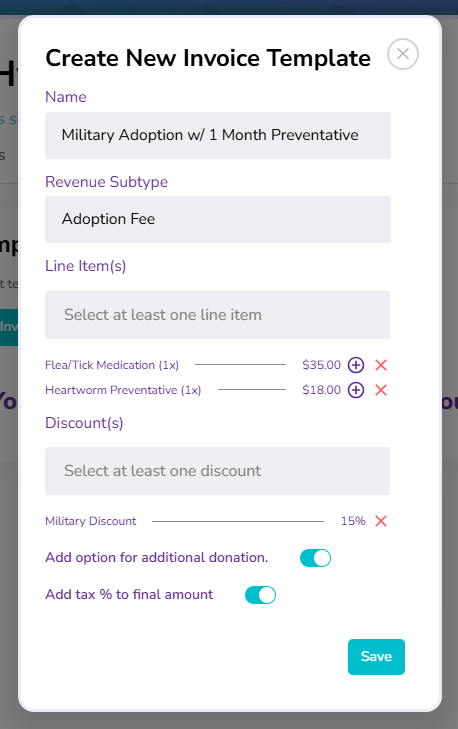
Hit save and repeat for any other invoice templates you might want to create:
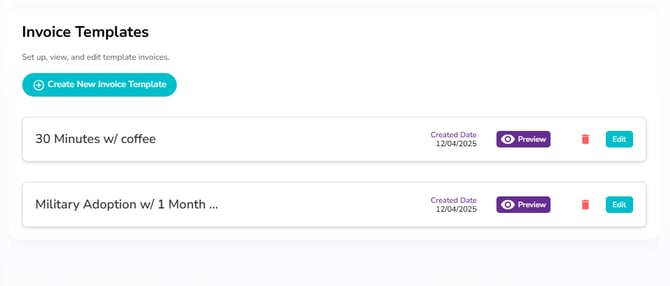
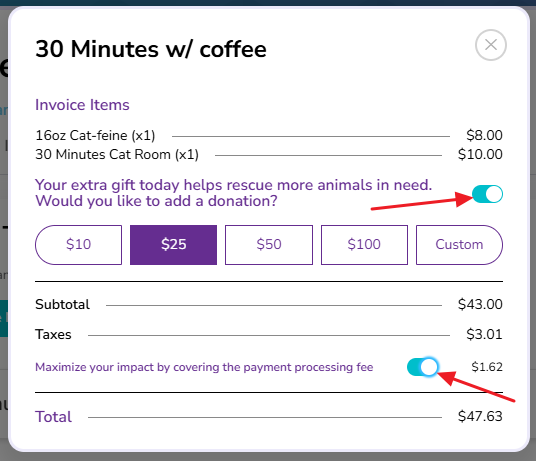
You can also preview your invoices to make sure everything looks correct! You'll also see where a person can add the additional donation and toggle that they want to cover the processing fee for you 💜
Now click here to learn how to start sending invoices!